You've uploaded photos to an AI generator, expecting stunning couple portraits or adorable baby visualizations, only to receive generic, unrecognizable images that miss the mark entirely. The disappointment is real. Many AI tools prioritize artistic style over authentic likeness, leaving you with images that don't capture what matters most: recognizable faces and genuine emotion. This guide shows you how to prepare your photos, choose specialized platforms, and navigate the generation process to achieve photorealistic results that truly reflect you and your partner.
Table of Contents
- Understanding AI Photo Generation For Couples And Babies
- Prerequisites: Preparing Your Photos For Success
- Choosing The Right AI Platform For Couple And Baby Photos
- Step-By-Step Process For Generating AI Couple Photos And Baby Visualizations
- Selecting Themes And Styles For Romantic AI Photos
- Troubleshooting And Common Mistakes To Avoid
- Expected Timelines And Outcomes
- Discover Specialized AI Photo Services To Bring Your Vision To Life
Key takeaways
| Point | Details |
|---|---|
| Specialized platforms deliver superior accuracy | Facial identity preservation is 65% better with specialized AI photo generators than general art tools. |
| Photo quality determines output realism | High-resolution images with varied angles and natural lighting produce more authentic, emotionally warm results. |
| Pre-planning themes saves time | Choosing specific styles like winter fairytale or retro before upload reduces revision rounds and improves satisfaction. |
| Common mistakes reduce quality | Low-resolution photos, heavy filters, and limited variety cause facial distortions and unrealistic outputs. |
| Expect delivery within 48 hours | Most specialized platforms deliver completed photoshoots in 24 to 48 hours with measurable quality benchmarks. |
Understanding AI photo generation for couples and babies
Not all AI image generators are created equal. General AI art generators prioritize creative interpretation and artistic style, often sacrificing facial accuracy for aesthetic appeal. Specialized AI photo platforms take a fundamentally different approach, using advanced facial analysis to preserve recognizable identity, natural expressions, and realistic skin texture. This distinction matters enormously when you want photos that genuinely look like you and your partner.
Photorealism isn't just about visual appeal. It drives emotional impact. When you see yourself accurately represented in a romantic winter scene or recognize your partner's smile in a retro photoshoot, the image carries meaning. Specialized AI generators achieve 65% better facial identity consistency compared to general tools because they're built specifically to analyze and replicate subtle facial traits, proportions, and characteristics that make each person instantly recognizable.
These platforms excel in two primary use cases:
- Romantic couple portraits: Generate photorealistic images across themes like studio sessions, sunset glow, wedding-style photography, and seasonal concepts without needing professional photographers or complex studio setups.
- Future baby visualizations: Create plausible infant portraits reflecting visible characteristics from both parents, offering emotionally engaging previews rather than generic baby templates.
- Authentic chemistry preservation: Maintain believable partner interaction and natural expressions that feel warm and genuine, not artificially posed.
The technology behind specialized platforms focuses on fine detail. Advanced facial recognition captures the specific curve of a smile, the exact shade of eye color, and the natural fall of hair. This level of precision transforms AI-generated photos from novelty art into meaningful keepsakes you'd proudly share or gift.
Prerequisites: Preparing your photos for success
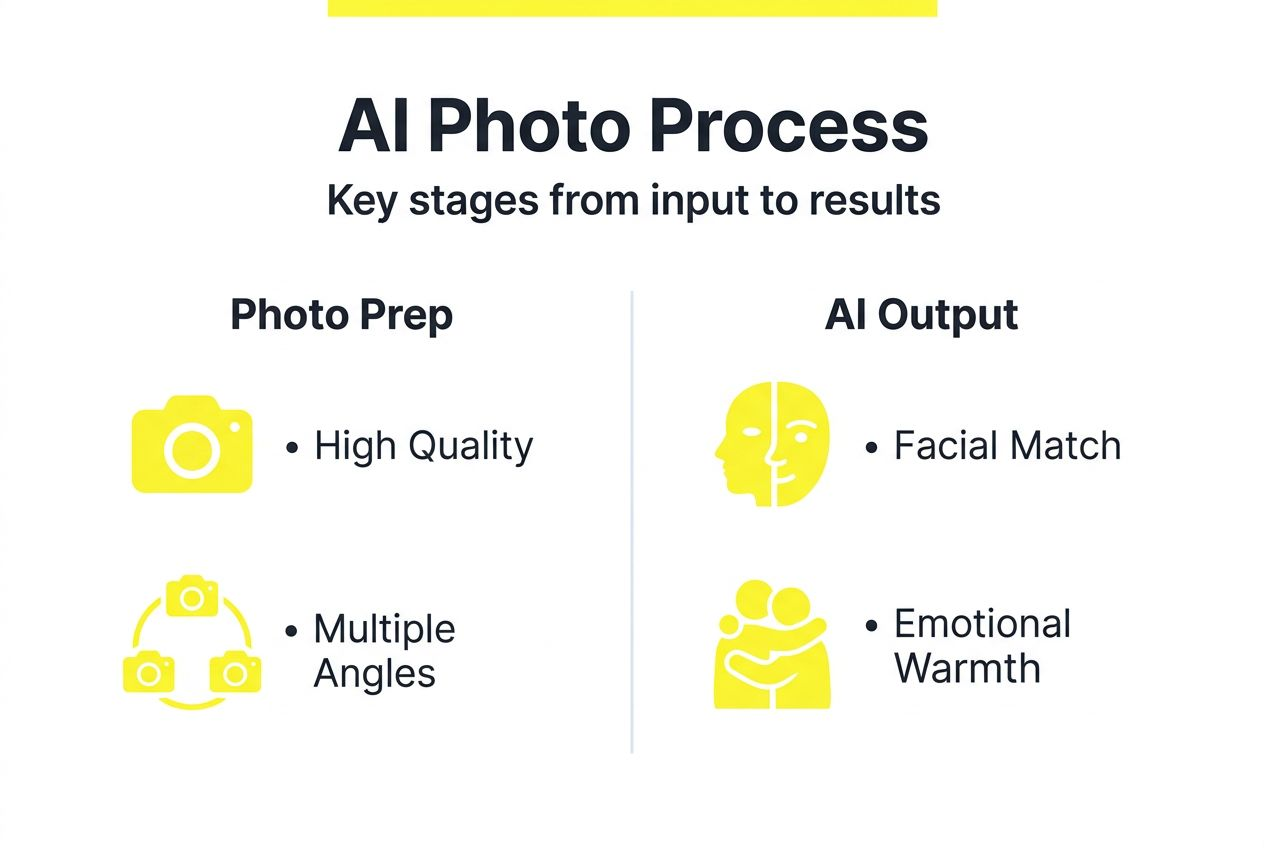
Your input photos directly determine output quality. Think of them as raw ingredients. High-quality inputs yield photorealistic results, while poor inputs guarantee disappointing outputs. Start with high-resolution images where facial details are crystal clear. Blurry selfies or distant group shots won't provide the AI enough visual information to reconstruct accurate features.
Variety matters as much as quality. Upload multiple photos showing different angles, expressions, and lighting conditions. This gives the AI a complete understanding of your facial structure from all perspectives. A straight-on headshot, a three-quarter profile, and a candid laugh all contribute unique data points the platform uses to build a comprehensive facial model.
Lighting can make or break your results. Natural, consistent lighting reveals true skin tones and facial contours without harsh shadows or overexposure. Avoid photos with extreme backlighting, heavy flash, or dramatic side lighting that obscures half your face. Soft, even illumination provides the cleanest data for AI processing.
Pro Tip: Shoot preparation photos outdoors during golden hour or indoors near large windows. This soft, diffused light enhances facial detail without creating harsh contrasts that confuse AI algorithms.
Avoid these common preparation mistakes:
- Low-resolution images under 500 pixels wide that lack detail
- Heavy Instagram filters or Snapchat effects that distort natural features
- Photos where faces are partially obscured by sunglasses, hats, or hands
- Images with multiple people where your face is small or unclear
Take time reviewing your AI couple photo maker photo guidelines before uploading. Platforms often provide specific technical requirements around file size, format, and composition. Following these specifications from the start eliminates frustrating do-overs and accelerates your path to stunning results. For detailed preparation guidance in multiple languages, check international photo preparation tips.
Choosing the right AI platform for couple and baby photos
Platform selection fundamentally shapes your results. General AI art generators like Midjourney or DALL-E excel at creative interpretation but frequently sacrifice facial accuracy for artistic style. They're designed for imaginative concepts, not photorealistic identity preservation. Specialized photo platforms prioritize the opposite: maintaining true likeness while applying desired aesthetic themes.
The core difference lies in facial recognition technology. Specialized platforms employ sophisticated algorithms that map dozens of facial landmarks, analyze proportional relationships, and track subtle characteristics that define individual identity. These systems achieve 65% higher facial accuracy because they're purpose-built for this specific task, not adapted from general image generation models.
Customer satisfaction metrics tell the story clearly. Users report significantly higher happiness with specialized platforms when output quality is measured by recognizability, emotional warmth, and photographic realism. General tools might create beautiful art, but specialized platforms create photos you'd mistake for professionally shot portraits.
| Feature | General AI Art Tools | Specialized Photo Platforms |
|---|---|---|
| Facial identity accuracy | 60-70% recognition rate | 85-95% recognition rate |
| Customization options | Text prompts only | Theme selection, style presets, revision feedback |
| Emotional authenticity | Artistic interpretation | Natural expressions, genuine chemistry |
| Typical use case | Creative concepts, fantasy art | Couple portraits, baby visualizations, gift photos |
| Learning curve | Complex prompting required | User-friendly upload and selection |
Look for platforms offering:
- Clear examples demonstrating photorealism over artistic style
- Multiple romantic and editorial themes like wedding photoshoots, retro sessions, or seasonal concepts
- Revision capabilities allowing feedback on preliminary results
- Transparent quality standards with measurable accuracy benchmarks
- Responsive support for technical questions or customization requests
The right platform transforms your vision into reality without requiring AI expertise or photography skills. You simply provide quality photos, select your desired aesthetic, and receive professional-grade results that genuinely capture you and your partner.
Step-by-step process for generating AI couple photos and baby visualizations
Generating photorealistic AI photos follows a structured workflow. Each step builds on the previous one, so taking time upfront saves frustration later. Here's your complete roadmap from upload to final delivery.
Step 1: Select and prepare your highest-quality photos
Review your photo library and choose 5 to 10 images per person that meet technical requirements. Prioritize recent photos showing clear facial detail, varied angles, and natural expressions. Eliminate any with heavy filters, low resolution, or partial face obstruction. This foundation determines everything that follows.
Step 2: Choose your desired theme or style
Before uploading, decide what aesthetic matches your vision or occasion. Are you creating Valentine's Day gift photos? Consider romantic sunset glow or intimate studio sessions. Planning a hypothetical wedding album? Wedding-style photography themes deliver that polished, editorial look. Clarity here streamlines the entire process.
Step 3: Upload photos and submit your generation request
Follow platform-specific upload instructions carefully. Most systems guide you through uploading photos for each person separately, then confirming selections before processing begins. Double-check that all images meet resolution and format requirements. Submit your request with chosen theme preferences clearly indicated.
Step 4: Review preliminary images for likeness and emotional warmth
When you receive initial results, evaluate them systematically. Do faces look recognizably like you and your partner? Are expressions natural rather than stiff or artificial? Does the chemistry between you feel believable? Check technical elements like skin texture, hair rendering, and lighting quality. Most users invest 30 to 60 minutes total across all steps.
Step 5: Provide specific revision feedback
If preliminary images need adjustment, give precise feedback. Instead of "make it look better," try "increase warmth in skin tones" or "adjust partner's smile to match photo 3." Specific direction helps the platform refine exactly what matters to you. Most systems allow at least one revision round included in base pricing.
Pro Tip: Specify your preferred style and occasion before uploading rather than after initial generation. This front-loaded clarity reduces revision cycles and gets you to final results faster.
For baby visualizations, follow a similar process using the AI baby generator workflow. Upload parent photos, indicate any preferences about baby age or setting, and review results for visible trait inheritance from both parents. The typical time investment remains 30 to 60 minutes from start to polished outputs.
Selecting themes and styles for romantic AI photos
Style selection dramatically influences emotional impact and final realism. The right theme enhances your natural features while creating the mood you want to convey. The wrong theme can make even high-quality inputs feel disconnected or artificial. Understanding popular options helps you match aesthetic to occasion.
Winter fairytale themes work beautifully for creating magical, intimate moments. Think soft snowfall, cozy sweaters, and warm lighting that contrasts with cool backgrounds. This style particularly suits anniversary gifts or holiday keepsakes where you want nostalgic warmth combined with visual drama.
Retro aesthetics tap into timeless romance through vintage color grading, classic poses, and nostalgic settings. Retro photoshoot themes range from 1950s diner romance to 1970s bohemian vibes. They work exceptionally well when you want photos that feel both contemporary and timeless, perfect for framing or social media sharing.
Sunset glow captures golden hour magic without requiring perfect weather or timing. The warm, diffused lighting flatters all skin tones while creating romantic ambiance naturally. This versatile style suits everything from casual couple portraits to more formal anniversary celebrations.
Studio photoshoot aesthetics deliver clean, editorial polish with professional lighting and neutral backgrounds. When you want the sophisticated look of professional photography without studio costs, this theme provides that premium quality.
Matching style to purpose increases satisfaction measurably:
- Gift giving: Choose themes with emotional warmth like winter fairytale or sunset glow
- Social sharing: Opt for visually striking options like retro or studio with bold compositions
- Personal keepsakes: Select styles reflecting your authentic relationship dynamic
- Event commemoration: Match themes to the occasion, such as wedding styles for anniversaries
Clear style direction before generation also improves efficiency. Platforms process requests faster when aesthetic parameters are defined upfront rather than adjusted through multiple revision rounds. You'll reach final results quicker and with fewer back-and-forth communications.
Troubleshooting and common mistakes to avoid
Even with careful preparation, you might encounter issues requiring adjustment. Understanding common problems and solutions helps you correct course quickly rather than accepting subpar results.
Unnatural lighting appears when input photos have inconsistent light sources or extreme contrasts. The AI struggles to normalize these variations, creating outputs with odd shadows or overexposed areas. Solution: Replace problematic input photos with ones shot in even, natural light. Retake preparation photos if necessary.
Facial distortions emerge from low-resolution inputs or limited photo variety. When the AI lacks sufficient visual data, it fills gaps with generic features that don't match your actual appearance. Solution: Upload more high-quality photos from different angles. Ensure at least 5 to 7 clear images per person showing varied perspectives.
Overuse of artistic filters in input photos confuses facial analysis algorithms. Heavy Instagram effects, beauty filters, or Snapchat lenses alter your true features, causing the AI to replicate those distortions rather than your authentic appearance. Solution: Use completely unfiltered photos for uploads. Save filtered images for personal use, not AI training.
Common mistakes that undermine results:
- Uploading group photos where your face is small or partially hidden
- Mixing very old photos with recent ones, creating age inconsistency
- Choosing clashing styles that don't complement your natural coloring
- Skipping revision opportunities when preliminary results need adjustment
- Expecting instant perfection without providing specific improvement feedback
Color accuracy issues often trace back to input photo white balance. Photos shot under fluorescent lights or heavy yellow indoor lighting can shift skin tones unnaturally. Review your inputs for consistent, neutral color rendering. Natural outdoor light typically provides the most accurate baseline.
Maintaining natural expressions requires selecting input photos where you're genuinely smiling or relaxed, not forcing poses. Stiff, awkward source photos produce similarly uncomfortable outputs. Choose candid moments capturing authentic emotion rather than formal portraits where you're trying too hard.
Expected timelines and outcomes
Setting realistic expectations prevents disappointment and helps you plan accordingly. Most specialized AI photo platforms deliver completed photoshoots within 24 to 48 hours of submission. Processing time varies based on complexity, revision requests, and current demand, but this window covers the majority of standard requests.
Quality benchmarks provide objective success metrics. Look for platforms guaranteeing:
- Facial identity accuracy above 85%, meaning you're clearly recognizable
- Emotional warmth perception above 75%, creating authentic rather than artificial feel
- Photographic realism scoring above 80% compared to professional portraits
- Revision satisfaction rates above 90% after one adjustment round
| Metric | Target Benchmark | What It Measures |
|---|---|---|
| Facial recognition accuracy | 85-95% | How closely output matches your actual appearance |
| Emotional authenticity score | 75-85% | Whether expressions and chemistry feel natural |
| Photographic realism rating | 80-90% | How much output resembles professional photography |
| User satisfaction post-revision | 90%+ | Overall happiness after feedback incorporation |
| Average delivery time | 24-48 hours | Turnaround from submission to final outputs |
Speed versus quality involves trade-offs. Rush services might deliver faster but often sacrifice the careful facial analysis that produces superior photorealism. Standard timelines allow proper processing, quality checks, and refinement before delivery. The extra day typically yields noticeably better results.
User satisfaction data shows specialized platforms significantly outperform general AI tools. When measured by recognizability, emotional impact, and gift-worthiness, purpose-built photo platforms score 40 to 50 percentage points higher than adapted art generators. This difference reflects their focused optimization for authentic likeness rather than creative interpretation.
Measurable outcomes help you evaluate final images objectively. Can friends and family immediately identify you without being told? Do expressions look natural rather than AI-generated? Would you confidently print and frame these photos? These practical tests reveal whether results meet the photorealistic standard you're seeking.
Discover specialized AI photo services to bring your vision to life
You now understand how to prepare photos, choose platforms, navigate generation workflows, and troubleshoot common issues. The next step is applying this knowledge with tools designed specifically for photorealistic couple and baby imagery. PairFuse offers AI couple photo generation that prioritizes facial identity preservation and emotional authenticity across romantic themes like winter fairytale, retro, sunset glow, and studio aesthetics.
Their AI baby generator creates plausible infant visualizations reflecting visible traits from both parents, delivering personalized results rather than generic templates. For special occasions, explore wedding-style photoshoots that capture editorial polish without professional photography costs. Each service emphasizes the photorealism and natural chemistry that transform AI-generated images into meaningful keepsakes worth sharing and treasuring.
FAQ
How do I choose the best photos for AI couple photo generation?
Select high-resolution images showing clear facial detail from multiple angles with natural expressions and consistent lighting. Avoid heavily filtered photos or group shots where faces are small. Review platform-specific photo selection guidelines for technical requirements before uploading.
What themes work best for romantic AI photos?
Winter fairytale, retro, and sunset glow themes consistently deliver warm, emotionally engaging results. Studio aesthetics provide clean, editorial polish. Match your theme to the intended occasion, like winter scenes for holiday gifts or retro styles for timeless keepsakes.
How realistic are AI-generated future baby photos?
Specialized AI baby generators create plausible visualizations based on visible parental facial traits, not exact genetic predictions. Platforms incorporating both parents' features deliver 45% higher user satisfaction than generic baby templates. Results emphasize photographic realism and emotional engagement rather than scientific accuracy.
How long does AI photo generation typically take?
Most specialized platforms deliver completed photoshoots within 24 to 48 hours of submission. Processing includes facial analysis, initial generation, quality checks, and preparation for revision if needed. Rush services may be available but often sacrifice the careful processing that ensures superior photorealism.
Can I request revisions if initial results need adjustment?
Yes, quality platforms include at least one revision round in base pricing. Provide specific feedback about facial accuracy, expressions, lighting, or style elements needing refinement. Precise direction like "adjust skin tone warmth" or "increase natural smile" helps platforms make targeted improvements efficiently.